Why Google Removes Positive Reviews (And How to Stop It)
If you’ve ever thought “Google deleted my review” or noticed your Google reviews disappeared, you’re not alone. This is a common issue across industries, and it often happens without any clear warning.
If you’re seeing “Google review removed” or wondering why your Google reviews disappeared, you’re not the only one facing this.
Many business owners assume something went wrong or that someone reported their reviews. In reality, when a Google review is removed, it’s usually because Google’s system has flagged something unusual in the content or behavior.
Based on real cases we’ve handled, even genuine reviews can disappear if they don’t align with Google’s trust signals.
Why Did My Google Review Get Removed or Disappear?
This is one of the most searched questions.
A review may disappear due to:
- Automated spam detection
- Unusual activity patterns
- Repetitive or low-quality content
- Suspicious user accounts
Sometimes reviews are not permanently deleted-they are simply filtered and hidden from public view. That’s why many businesses say “my Google reviews disappeared” even when they were genuine.
Common Reasons Google Removes Positive Reviews
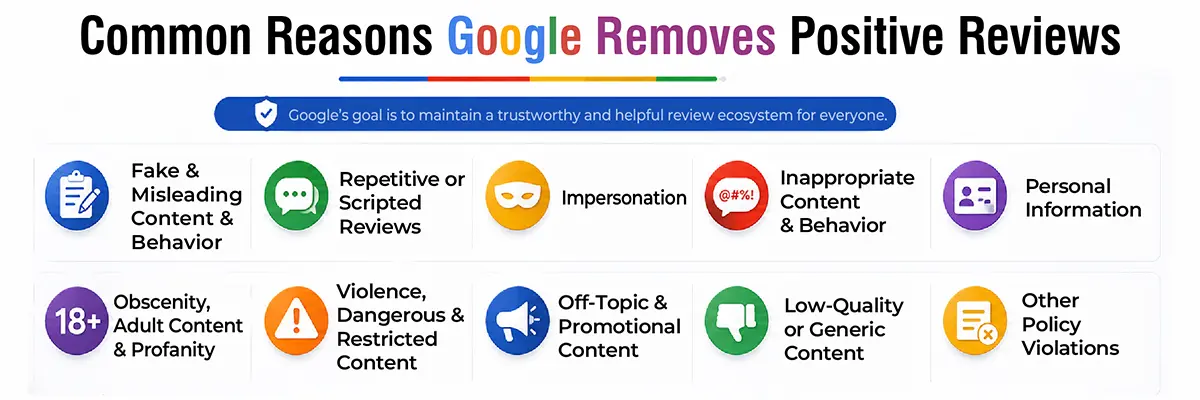
Fake & Misleading Content & Behavior
Google removes reviews that appear manipulated. Bulk submissions, incentivized reviews, or internal staff reviews can trigger removal.
Repetitive or Scripted Reviews
If multiple reviews use similar wording or structure, they may be flagged as spam-even if they are real.
Impersonation
Reviews posted using fake identities or pretending to be customers are removed immediately.
Misinformation & Misrepresentation
Positive reviews can still be removed if they include incorrect or exaggerated claims about services or results.
Inappropriate Content & Behavior
Harassment, hate speech, or offensive language leads to removal regardless of rating.
Personal Information
Sharing private details like phone numbers or emails violates Google’s policies.
Obscenity, Adult Content & Profanity
Even mild inappropriate language can trigger filters.
Violence, Dangerous & Restricted Content
Any harmful or illegal references result in removal.
Off-Topic & Promotional Content
Reviews used for advertising or unrelated content are treated as spam.
Low-Quality or Generic Content
Repeated one-line reviews like “great service” across multiple users can get filtered.
Can Google Remove Genuine Reviews?
Yes-and this is where most frustration comes from.
Even genuine reviews can be removed if they trigger spam signals such as:
- Bulk posting within a short period
- Similar wording across reviews
- Reviews from the same network or device
- Low-trust or inactive accounts
We’ve seen this happen across multiple business profiles where authentic reviews were flagged simply because the pattern looked unnatural.
Real Scenarios That Lead to Review Removal
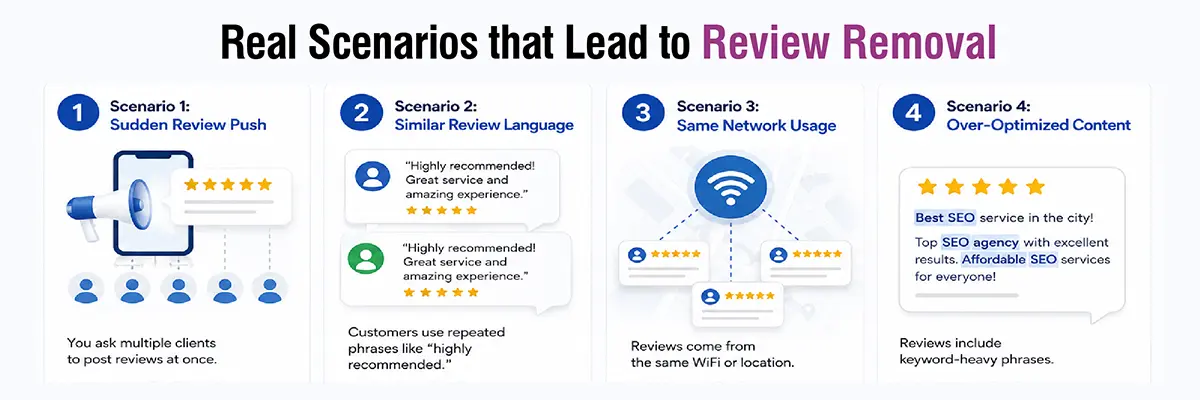
Scenario 1: Sudden Review Push
You ask multiple clients to post reviews at once.
Result: Google flags the spike → reviews get filtered.
Scenario 2: Similar Review Language
Customers use repeated phrases like “highly recommended.”
Result: Looks scripted → removed.
Scenario 3: Same Network Usage
Reviews come from the same WiFi or location.
Result: Suspicious activity → flagged.
Scenario 4: Over-Optimized Content
Reviews include keyword-heavy phrases.
Result: Treated as promotional → removed.
How to Recover Deleted Google Reviews
If a Google review is removed, here’s what you can do:
Check Your Google Business Profile
Ensure your profile is verified, active, and not recently suspended.
Contact Google Support
Submit a request for missing reviews. If the removal was an error, there is a chance of restoration.
Ask Customers to Repost
Request the reviewer to post again using natural language. Avoid duplicate wording.
Improve Your Review Collection Process
If reviews keep disappearing, your approach may be triggering filters.
What to Do If All Your Google Reviews Disappear
This is a high-concern scenario and happens more often than expected.
If all reviews disappear:
- Check if your listing was suspended or reinstated
- Review recent profile edits (name, category, location changes)
- Look for sudden spikes in review activity
- Verify if Google is temporarily filtering reviews
In most cases, reviews return once the system stabilizes-but if not, you’ll need to rebuild them with a cleaner strategy.
How to Stop Google From Removing Reviews
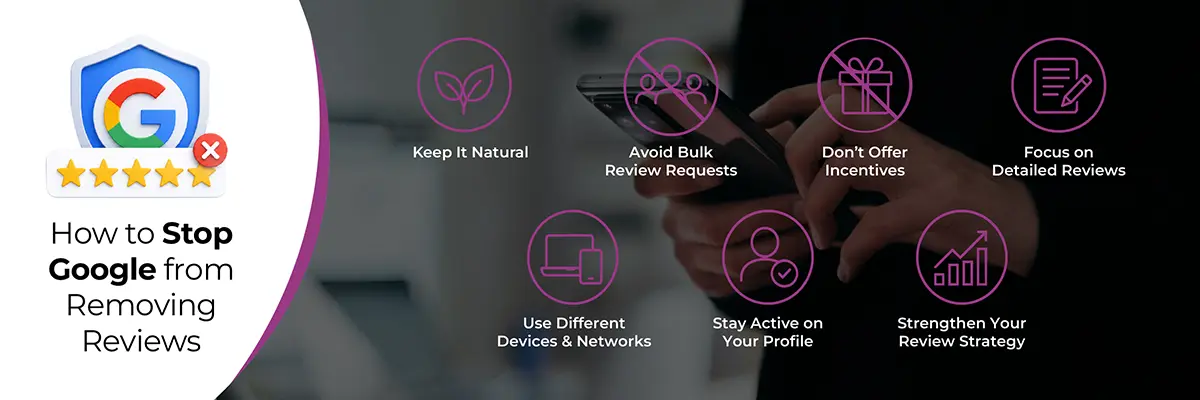
Keep It Natural
Let customers write genuine feedback without guidance.
Avoid Bulk Review Requests
Maintain a steady flow instead of sudden spikes.
Don’t Offer Incentives
Incentivized reviews often get removed.
Focus on Detailed Reviews
Encourage customers to share real experiences, not generic praise.
Use Different Devices & Networks
Avoid collecting multiple reviews from the same location.
Stay Active on Your Profile
Consistent updates and replies improve trust signals.
Strengthen Your Review Strategy
If you want long-term results, your focus should go beyond just collecting reviews.
A strong approach includes:
- Proper Google Business Profile optimization
- Consistent review acquisition strategies
- Professional review management services
If your Google Business Profile isn’t optimized properly, reviews are more likely to get filtered.
This not only protects your reviews but also improves visibility and conversions.
FAQs
Why did Google remove my positive reviews?
Google removes reviews that violate its policies or appear unnatural, even if they are positive.
Why are my Google reviews disappearing?
Reviews may disappear due to spam detection, repetitive content, or suspicious activity patterns.
Can I recover a removed Google review?
Sometimes, by contacting support or asking the user to repost, but recovery is not guaranteed.
How long does it take for Google to restore reviews?
It can take a few days to weeks, though many reviews are not restored.
Can competitors report my Google reviews?
Yes, but Google only removes reviews if they violate its guidelines.
Why did Google delete my review even though it was real?
Even genuine reviews can be removed if they trigger spam signals like bulk posting, similar wording, or suspicious account activity.